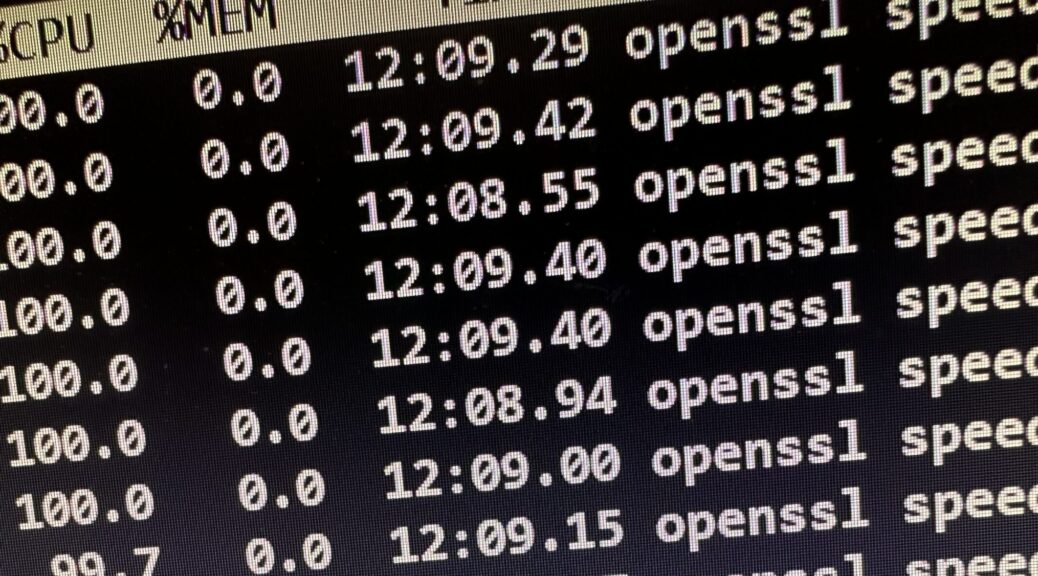
Cobbled this up for putting a 1993 vintage RS/6000 into perspective. Counts how many rand() / (rand() + 1) divisions the system will do in 10 second intervals.
--argfile behaves differently depending on the number of JSON objects in the file. If it the file contains 1 JSON object, it is returned as a JSON object. If I create a JSON file that contains 2 JSON objects, they are converted to a list of objects:
--slurpfile treats all JSON objects the same and if the file contains a single JSON object, returns a list of JSON objects containing a single entry. Hence the added [0] from the TL;DR section.
One might argue that the removal of --argfile could have come following a clear deprecation notice instead of semi-permanently (first appearance in Debian 9/Stretch) advising against its use and then removing it all of a sudden. However, as far as I am concerned, the issue was detected in earliest Debian 13 compatibility testing within days after the freeze, I immediately knew what was cooking, the migration to --slurpfile was trivial, and it can also be deployed retroactively on all older systems.
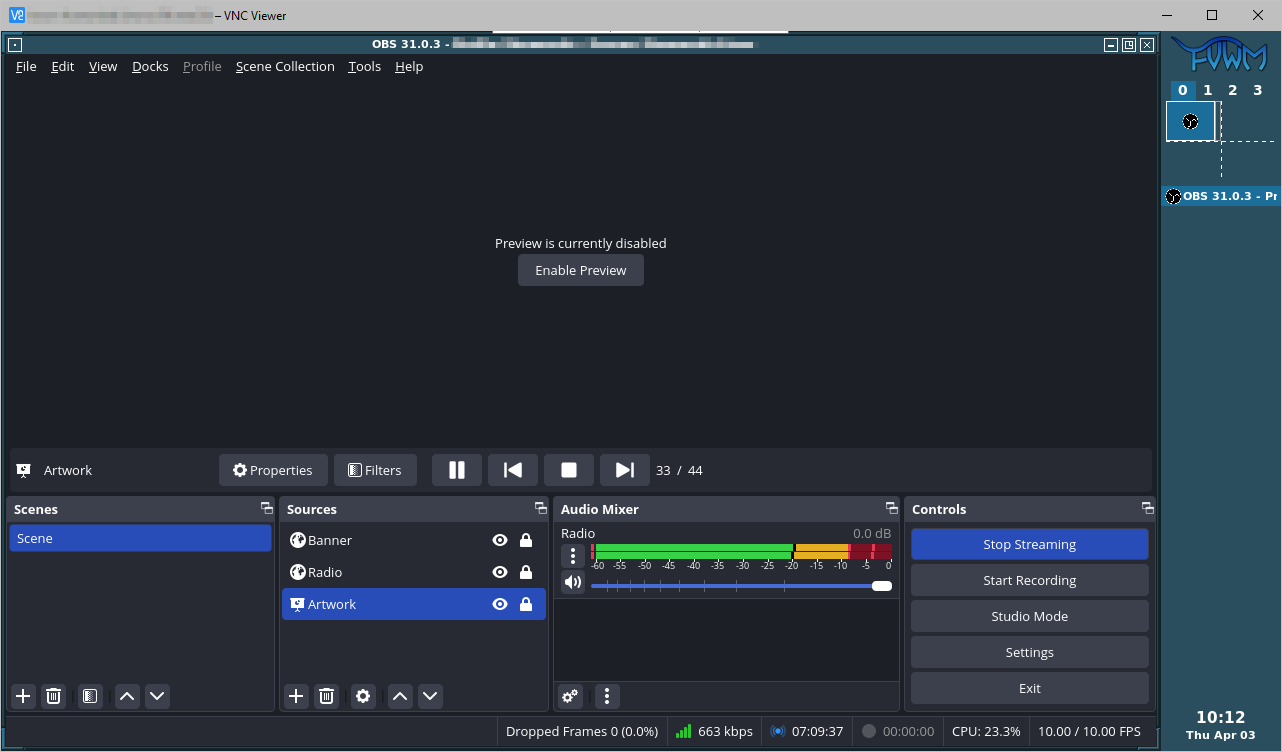
Caveat: The preview pane inside OBS requires 24 bit color depth.
The ~/.xinitrc sets a language environment, which I use for influencing the date format inside the OBS browser source. The OBS invocation also starts the stream automatically, and ignores uncontrolled shutdowns of OBS, so the stream will autostart after a reboot.
The VNC service will be bound to localhost only, but adding a password won’t hurt and will hardly be noticeable once it’s setup and saved in the VNC client.
x11vnc -storepasswd
Another systemd user-unit takes care of starting x11vnc:
Pipewire Easyeffects with RNNoise on Debian 12 / Bookworm
Gnome Night Light from Sunrise to Sunset, without Location Services
Revisiting ratarmount
Pipewire Easyeffects with RNNoise on Debian 12 / Bookworm
RNNoise for removing background sound on your microphone is not included in Debian 12, due to licensing issues around its training data. The least painful way to work around this is to install the Easyeffects Flatpak instead of the packaged easyeffects:
Ich habe einige Monate damit rumgemacht, dass das Konglomerat Telegraf/Prometheus/Grafana von ziemlich starken Abhängigkeiten bei der Startreihenfolge der beteiligten Systeme geplagt ist. Meine Server rebooten alle einmal pro Woche automatisch innerhalb eines gewissen Zeitfensters und seit Grafana musste ich so alle 2-3 Wochen manuell eingreifen und Services neustarten, da insbesondere Telegraf davon ausgeht, dass Schnittstellen, auf die es selbst zugreift, beim eigenen Start erreichbar sein müssen. (Siehe auch: Fallacies of distributed computing.)
Die Frage war also, wie sieht die einfachste Lösung aus, um einen gegebenen Service 60 Minuten nach seinem Start noch einmal automatisch durchzustarten (mit sporadischen Lücken in den Daten kann ich am frühen Sonntagmorgen leben).
Timer und dedizierte Service-Units zu verteilen schien mir zu aufwändig, und ich habe unangenehm lange gegrübelt, wie die simpelste Lösung aussehen könnte, die einfach per systemctl edit foo.service (oder per anderweitig verteiltem systemd drop-in, ymmv) in die betreffende Unit eingebracht werden kann.
Angekommen bin ich schließlich bei dieser Bandwurmzeile:
systemd-run instanziiert einen transienten timer und service, der in einer Stunde systemctl restart ausführen wird. %N wird dabei durch den Namen der übergeordneten Unit (hier also: telegraf) ersetzt.
Der Name des transienten timer und service wird über die Option --unit vorgegeben um im vorherigen Schritt (eins weiter links) vorhersagbar zu sein.
systemd-run wird nur dann ausgeführt, wenn nicht bereits eine Unit aktiv ist, die den vorgegebenen Namen hat, den die transiente Unit bekommen würde, wenn sie noch auszuführen wäre.
Das ganze ist als Shell-Aufruf gewrappt, um den || – Operator zu haben.
ExecStartPost=+ führt als root aus, obwohl die übergeordnete Unit ihre Befehle unprivilegiert ausführt.
ExecStartPost=- ignoriert den Fehler aus dem Shell-Einzeiler, wenn die Unit bereits aktiv war. Es könnte ersatzweise auch ; true ans Ende des Einzeilers geschrieben werden.
Nothing serious, just a few notes I like to share with friends and colleagues who, like me, script around curl.
curl -f / --fail
I try to use --fail whenever I can, because why would I want to exit zero on server errors?
$ curl -L https://download.grml.org/grml64-small_2024.02.iso.NO
<!DOCTYPE HTML PUBLIC "-//IETF//DTD HTML 2.0//EN">
<html><head>
<title>404 Not Found</title>
</head><body>
<h1>Not Found</h1>
<p>The requested URL was not found on this server.</p>
<hr>
<address>Apache/2.4.41 (Ubuntu) Server at ftp.fau.de Port 443</address>
</body></html>
$ echo $?
0
$ curl -f -L https://download.grml.org/grml64-small_2024.02.iso.NO
curl: (22) The requested URL returned error: 404
$ echo $?
22
curl --fail-with-body
I have a CI/CD situation where curl calls a webhook and it’s incredibly useful to see its error message in case of failure.
$ curl --fail https://binblog.de/xmlrpc.php
curl: (22) The requested URL returned error: 405
$ curl --fail-with-body https://binblog.de/xmlrpc.php
curl: (22) The requested URL returned error: 405
XML-RPC server accepts POST requests only.
set -o pipefail
When curl‘s output gets piped to any other command, I try to remember to set -o pipefail along with curl --fail so if curl fails, the pipe exits non-zero.
#!/usr/bin/env bash

url='https://download.grml.org/grml64-small_2024.02.iso.NONO'

if curl -s -f -L "${url}" | sha256sum
then
        echo "Success."
else
        echo "Failure."
fi

set -o pipefail

if curl -s -f -L "${url}" | sha256sum
then
        echo "Success."
else
        echo "Failure."
fi
curl --connect-timeout
Useful to get quicker response in scripts instead of waiting for the system’s default timeouts.
curl -w / --write-out
This may be over the top most of the time, but I have one situation that requires extremely detailed error handling. (The reason being a bit of a foul split DNS situation in the environment, long story.) This is where I use --write-out to analyze the server response.
Username:password authentication is a thing, no matter how much it’s discouraged. Here’s how to at least hide username and password from the process list.
$ chmod 600 ~/.netrc
$ cat ~/.netrc
machine binblog.de
login foo
password bar
$ curl -v -o /dev/null -n https://binblog.de
...
* Server auth using Basic with user 'foo'
...
To use any other file instead of ~/.netrc, use --netrc-file instead.
forkstat (8) – a tool to show process fork/exec/exit activity
High load without a single obvious CPU consuming process (not related to the Nextcloud shenanigans above) led me to forkstat(8):
Forkstat is a program that logs process fork(), exec(), exit(), coredump and process name change activity. It is useful for monitoring system behaviour and to track down rogue processes that are spawning off processes and potentially abusing the system.
$ sudo tee /etc/apt/sources.list.d/mozillateam-ppa.list <<Here
deb https://ppa.launchpadcontent.net/mozillateam/ppa/ubuntu jammy main
deb-src https://ppa.launchpadcontent.net/mozillateam/ppa/ubuntu jammy main
Here
$ sudo tee /etc/apt/trusted.gpg.d/mozillateam.asc < <(curl 'https://keyserver.ubuntu.com/pks/lookup?op=get&search=0x0ab215679c571d1c8325275b9bdb3d89ce49ec21')
Nach etlichen Sekunden-Stromausfällen, durchaus auch mal in schneller Folge nacheinander, hatte mich ein 40-minütiger Stromausfall endgültig über die Kante geschubst, und ich wollte meine Rechner mit unterbrechungsfreien Stromversorgungen ausstatten.
Ziel war eine USV-Integration, die:
Den angeschlossenen Rechner bei Stromausfall zuverlässig herunterfährt.
Und ihn auch zuverlässig wieder startet.
Utopische Batterielaufzeiten, um irgendwelche Uptimes zu retten, sind bei mir kein Thema, denn alle Systeme, die keine Eingabe einer Passphrase benötigen (also alle bis auf eines), reboote ich wöchentlich aus der Crontab.
First things first: Warum nicht den Marktführer? Warum nicht … APC?
Meine Meinung zu APC ist nicht die beste. Zum einen stört mich enorm, dass APC gefühlt immer noch die exakt selbe Hardware verkauft, sogar original ohne USB, die ich in einem anderen Jahrhundert(!) als Vertriebler im Großhandel verhökert habe. Der apcupsd für Linux scheint seit Ewigkeiten unmaintained, und die Hinweise zu den APC-Hardwaregenerationen bei den Network UPS Tools sind alles andere als ermutigend.
Hardwareauswahl
Der Weg zur richtigen Hardware, die die gewünschte Integration leistet, war steinig und von sehr schweren Pappkartons begleitet.
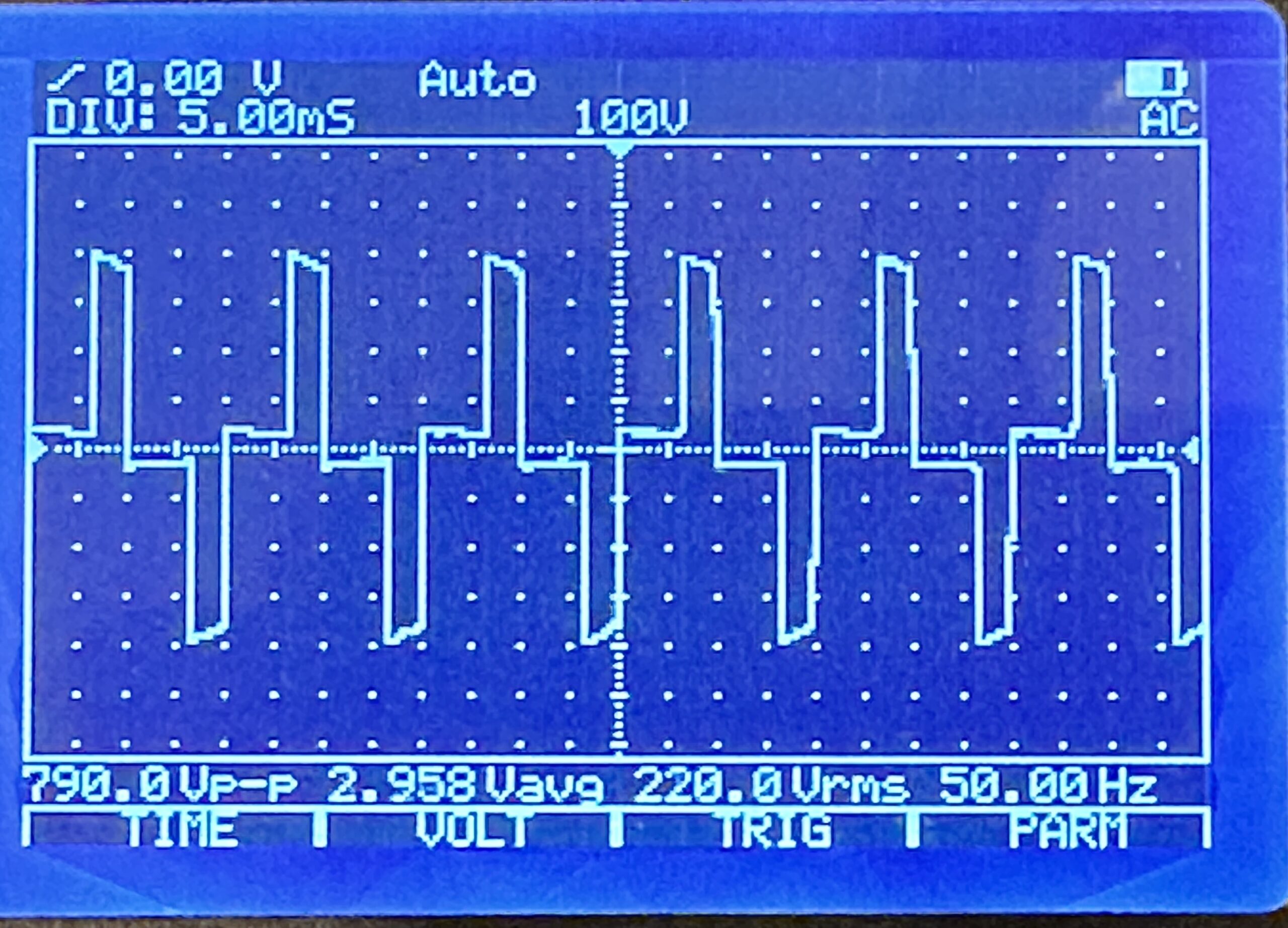
Für die meisten Anwendungsfälle tut es tatsächlich die wirklich billig-billige 50-Euro-USV von “BlueWalker PowerWalker”, wie sie der kleine Computerladen im Nachbardorf in allen Ausprägungen führt. Der Sinus ist hier allerdings nicht wirklich rund, sondern sehr sehr eckig, so dass er nicht mit jedem PC-Netzteil harmoniert.
Ein Gerät aus der “CSW”-Serie, “Clean Sine Wave” für ca. 150 Euro ebenfalls von “BlueWalker PowerWalker” weigerte sich, das System nach Wiederherstellung der Stromversorgung zuverlässig wieder hoch zu fahren.
Eine “Cyberpower”-USV hatte das beste User-Interface direkt am Panel, zählte die Sekunden der jeweiligen Timings live runter, war aber leider Dead On Arrival mit einem Akku, der wie ein Stein runterfiel, ohne dem angeschlossenen System wenigstens mal 30 Sekunden Zeit zum Runterfahren zu geben.
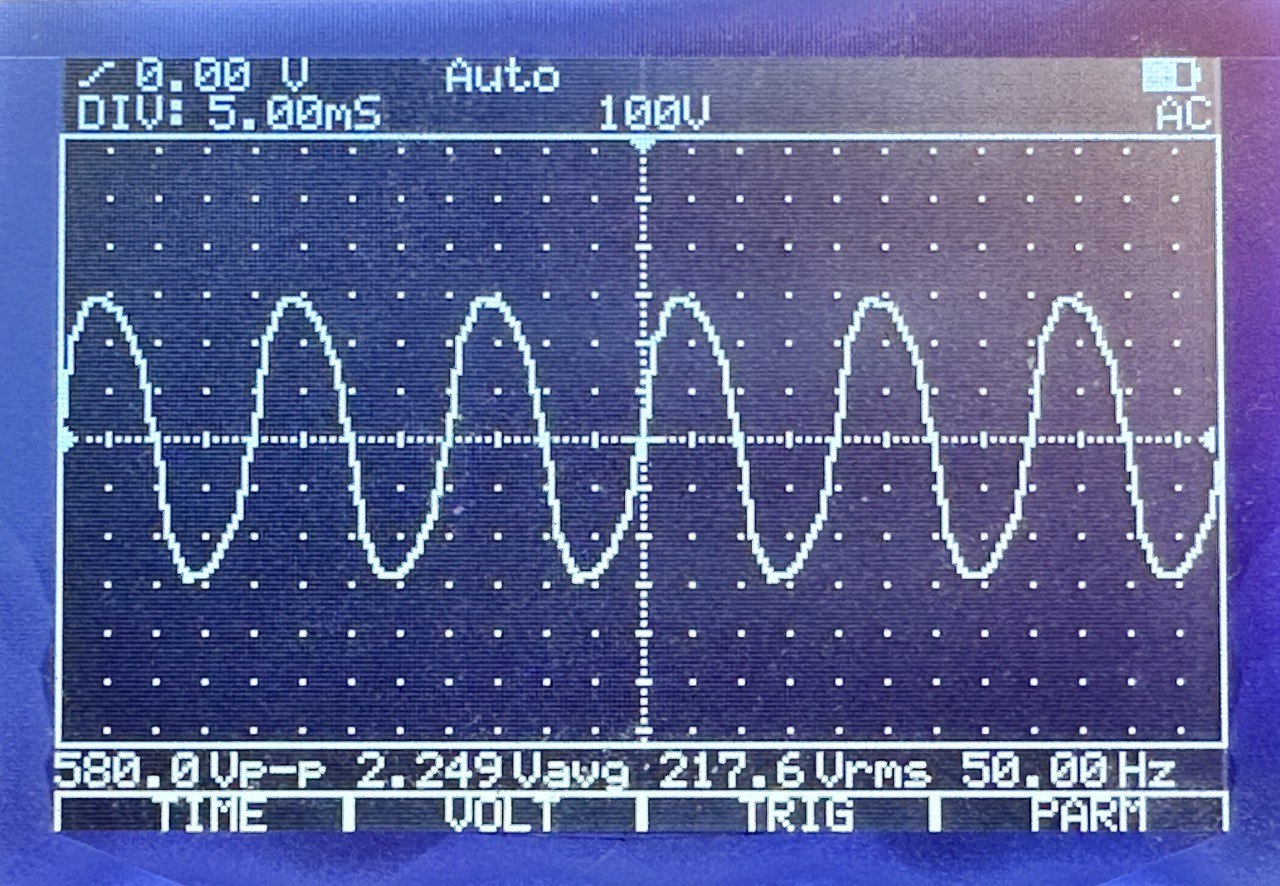
Nachdem ich einige Wochen Frust geschoben hatte, ging es wieder mit einer PowerWackler weiter, diesmal mit der BlueWalker PowerWalker VI 800 SW. Ein Billiggerät, sieht billig aus, hat ein aus einem Blickwinkel von ca. 0.5 Grad ablesbares LC-Display, und: Funktioniert! Der Sinus ist ulkig windschief, das tut der Funktion aber keinen Abbruch.
Integration
Nach den ersten Tests und der Erkundung der Möglichkeiten, standen meine Wünsche endgültig fest:
30 Sekunden nach dem Stromausfall soll das System runterfahren.
Kommt innerhalb der 30 Sekunden der Strom wieder, soll der Shutdown abgebrochen werden.
60 Sekunden nach dem Shutdown soll das System ausgeschaltet werden.
Kommt während oder nach dem Shutdown der Strom wieder, soll die USV wissen, dass sie das Ding jetzt durchziehen und das System trotzdem aus- und nach einer Wartezeit wieder einschalten soll.
Ist der Stromausfall beendet, soll das System wieder automatisch eingeschaltet werden.
Mit der richtigen USV ist all das problemlos zu konfigurieren. Leider habe ich mir ärgerlich viel Zeit um die Ohren geschlagen, weil ich immer wieder Fehler auf meinem System in meiner Konfiguration gesucht habe.
NUT-Architektur
Die Network UPS Tools (“NUT”) teilen ihren Stack in 3 1/2 Schichten auf:
Der NUT-Treiber übernimmt die Kommunikation mit der USV und stellt sie modellunabhängig den nachgeordneten Schichten zur Verfügung.
Der NUT-Server stellt die Events der USV per TCP bereit, für localhost, oder auch für per Netzwerk angebundene Systeme, die keine lokale USV haben.
Der NUT-Monitor reagiert auf Events, die er vom Server erhält, hierbei kann der Server entweder lokal laufen, oder über das Netzwerk erreicht werden.
Der NUT-Scheduler als Teil des NUT-Monitor führt diese Events aus und verfolgt sie im zeitlichen Ablauf.
Ich habe mich überall für Konfigurationen vom Typ “Netserver” entschieden, bei denen aber der NUT-Server hinter einer lokalen Firewall für Verbindungen von außen geblockt ist.
NUT-Treiber
Der NUT-Treiber ist, wenn man einmal akzeptiert hat, dass die USVen alle buggy Firmware haben und man nie bei NUT die Schuld für Fehlfunktionen zu suchen hat, ganz einfach zu konfigurieren. Außer der Auswahl des passenden Subtreibers ist lediglich zu beachten, dass die USV-Firmwares die Timings mal in Sekunden, mal in Minuten und mal gemischt(!) entgegennehmen. Bei manchen darf auch kein ondelay von unter 3 Minuten konfiguriert werden. Was weiß denn ich. Eine /etc/nut/ups.conf:
# /etc/nut/ups.conf für BlueWalker PowerWalker VI 800 SW
maxretry = 3 # Erforderlich

[ups]
        driver = blazer_usb # Wahrscheinlichste Alternative: usbhid-ups
        port = auto
        offdelay = 60       # Zeit bis zum Ausschalten nach Shutdown in Sekunden
        ondelay = 3         # Mindestwartezeit bis zum Wiedereinschalten in Minuten
NUT-Server
Der NUT-Server ist etwas unübersichtlich zu konfigurieren, insbesondere bei der Rollenzuweisung im Rahmen seiner Userverwaltung. Die zentrale Konfigurationsdatei /etc/nut/nut.conf ist aber noch äußerst übersichtlich:
# /etc/nut/nut.conf
MODE=netserver
/etc/nut/upsd.confhabe ich inhaltlich leer gelassen (Voreinstellung, alles auskommentiert), hier können für den Netzwerkbetrieb Zertifikate und/oder für den lokalen Betrieb die Bindung auf Localhost konfiguriert werden.
In /etc/nut/upsd.users wird der User angelegt, mit dem sich der NUT-Monitor beim Server anmelden wird. Bei “upsmon master” scheint es sich um eine Art Macro zu handeln, das bestimmte Rechte für den User vorkonfiguriert; die Doku ist nicht allzu verständlich und es ist möglich, dass die expliziten “actions” hier redundant konfiguriert sind. Ansonsten wird hier explizit festgelegt, dass der User “upsmon” mit dem Passwort “xxx” “Instant Commands” an die USV senden darf, dass er mit SET diverse Einstellungen an ihr vornehmen darf, und dass er den FSD, den Forced Shutdown, einleiten darf.
# /etc/nut/upsd.users
[upsmon]
        password = xxx
        instcmds = ALL
        actions = SET
        actions = FSD
        upsmon master
NUT-Monitor
Der NUT-Monitor ist die Kernkomponente, die tatsächlich den Shutdown des Systems einleiten und/oder abbrechen wird.
Zunächst muss die Kommunikation mit der USV namens “ups” mit dem User “upsmon” etabliert werden. “master” bedeutet, dass die USV hier am System lokal angeschlossen ist, die 1 ist eine Metrik für den Fall, dass mehrere USVen angeschlossen sind. Erhaltene Events werden an den NUT-Scheduler delegiert, und es sollen ausschließlich die Events ONLINE und ONBATT behandelt werden.Hier nur die relevanten zu ändernden Zeilen aus /etc/nut/upsmon.conf:
Dem NUT-Scheduler wird der Pfad zu einem Shellscript übergeben, das den Shutdown des Systems handhaben wird. Die beiden Werte PIPEFN und LOCKFN haben keine Voreinstellungen und müssen sinnvoll belegt werden. Hier die komplette /etc/nut/upssched.conf:
# /etc/nut/upssched.conf
# https://networkupstools.org/docs/user-manual.chunked/ar01s07.html
CMDSCRIPT /usr/local/sbin/upssched-cmd
PIPEFN /run/nut/upssched.pipe
LOCKFN /run/nut/upssched.lock
AT ONBATT * START-TIMER onbatteryshutdown 30
AT ONLINE * CANCEL-TIMER onbatteryshutdown
AT ONBATT * EXECUTE onbattery
AT ONLINE * EXECUTE online
Wenn der Event ONBATT behandelt wird, die USV sich also im Batteriebetrieb befindet:
Wird ein Timer gestartet, der in 30 Sekunden das CMDSCRIPT mit dem Argument onbatteryshutdown ausführen wird.
Wird das CMDSCRIPT ausgeführt mit dem Argument onbattery, das die eingeloggten User über den Stromausfall und den in 30 Sekunden bevorstehenden Shutdown informiert.
Wenn der Event ONLINE behandelt wird, die USV sich also nicht mehr im Batteriebetrieb befindet:
Wird der zuvor gestartete Timer abgebrochen.
Wird das CMDSCRIPT ausgeführt mit dem Argument online, das die eingeloggten User über den abgebrochenen Shutdown informiert.
CMDSCRIPT /usr/local/sbin/upssched-cmd
Das Herz des Systems ist natürlich in liebevoller Manufakturqualität selbstgescriptet. Der Shutdown selbst wird mit /sbin/upsmon -c fsd bei NUT-Server in Auftrag gegeben, der theoretisch auch noch die Aufgabe hätte, die Shutdowns von per Netzwerk angebundenen Systemen abzuwarten. Bei diesem Forced Shutdown sagt NUT-Server der USV Bescheid, dass der Shutdown jetzt durchgezogen wird und sie nach der im NUT-Treiber konfigurierten offdelay die Stromversorgung auch wirklich aus- und nach Wiederherstellung der Stromversorgung, oder einer Mindestwartezeit, wieder einschalten soll.
#!/usr/bin/env bash
me_path="$(readlink -f "$0")"

case "${1}" in
        'onbattery')
                /usr/bin/logger -p daemon.warn -t "${me_path}" "UPS on battery."
                /usr/bin/wall <<-Here
                $(figlet -f small BLACKOUT)
                $(figlet -f small BLACKOUT)
                +++++ SYSTEM WILL SHUT DOWN IN 30 SECONDS. +++++
                Here
                ;;
        'onbatteryshutdown')
                /usr/bin/logger -p daemon.crit -t "${me_path}" "UPS on battery, forcing shutdown."
                /usr/bin/wall <<-Here
                $(figlet -f small BLACKOUT)
                $(figlet -f small BLACKOUT)
                +++++ SYSTEM IS SHUTTING DOWN  N O W. +++++
                Here
                /sbin/upsmon -c fsd
                ;;
        'online')
                /usr/bin/logger -p daemon.warn -t "${me_path}" "UPS no longer on battery."
                /usr/bin/wall <<-Here
                $(figlet -f small SHUTDOWN)
                $(figlet -f small ABORTED)
                Power restored. Shutdown aborted. Have a nice day. <3
                Here
                ;;
        *)
                /usr/bin/logger -p daemon.info -t "${me_path}" "Unrecognized command: ${1}"
                echo '?'
                ;;
esac
…and this is how it’s done, the simplest way possible. I initially heard about this technique from Jan-Piet Mens, a large-scale fiddler unlike me, and have fully committed to it.
Write a Markdown file with a manpage structure and a tiny bit of syntactic legalese at the top. I’ll call mine demo.7.md, but I’ve also gone with having it double as a README.md in the past.
% demo(7) | A demo manual page

# Name

**demo** - A demo manual page

# Synopsis

`demo` (No arguments are supported)

# History

Introduced as an example on a random blog post

# See also

* pandoc(1)
Convert to a manual page markup using pandoc(1) and view the manpage:
pandoc --standalone --to man demo.7.md -o demo.7
man -l demo.7
That’s your quick-and-dirty WYSIWYG manual page.
(Update Sep. 29, 2023: Fixed missing “.7” in final man -l invocation.)
What goes up, must come down. Ask any system administrator.